
The consultant
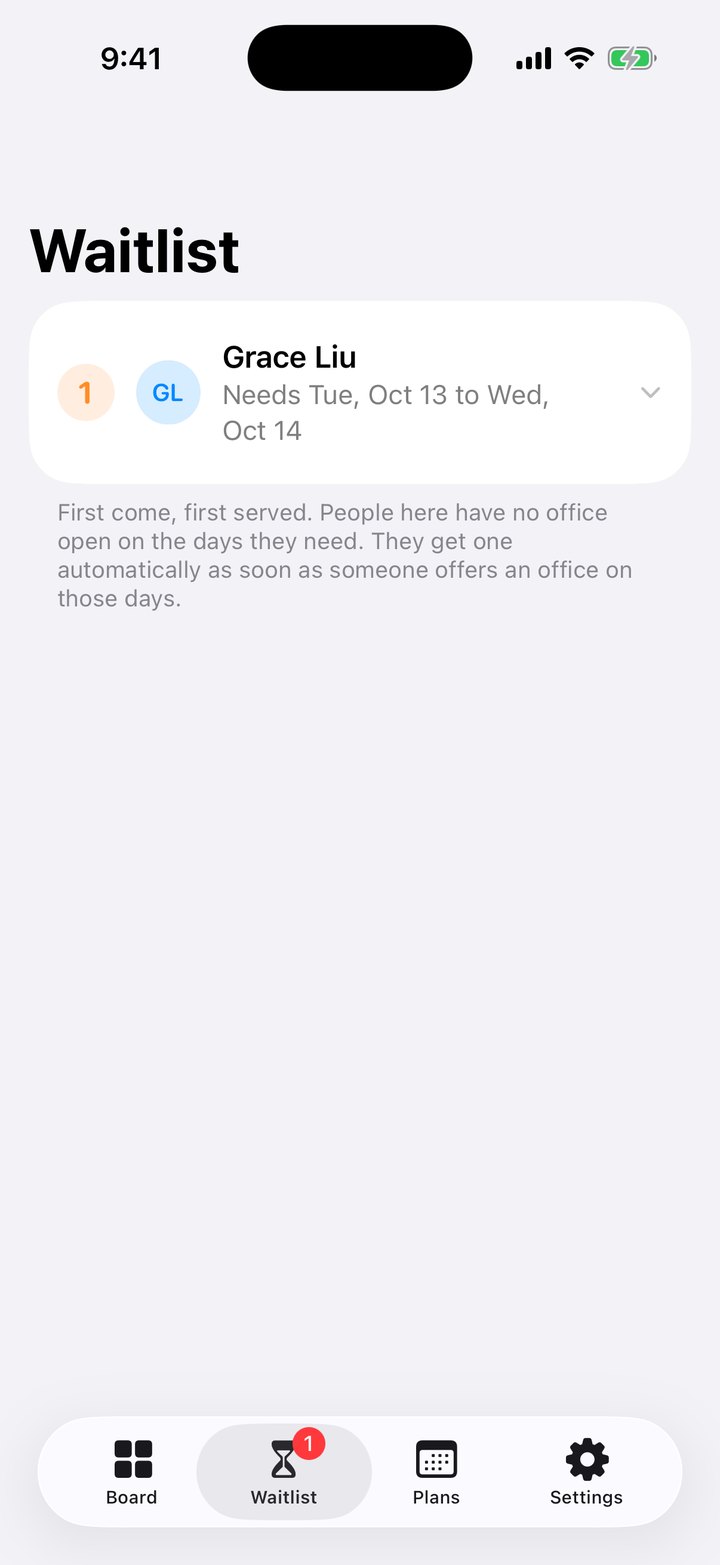
On site Tuesday to Thursday. Gets a door that closes, not a corner of the kitchen.
Owners offer their office on the days they're away. OfficeSwap hands it to the next person who needs one, automatically.
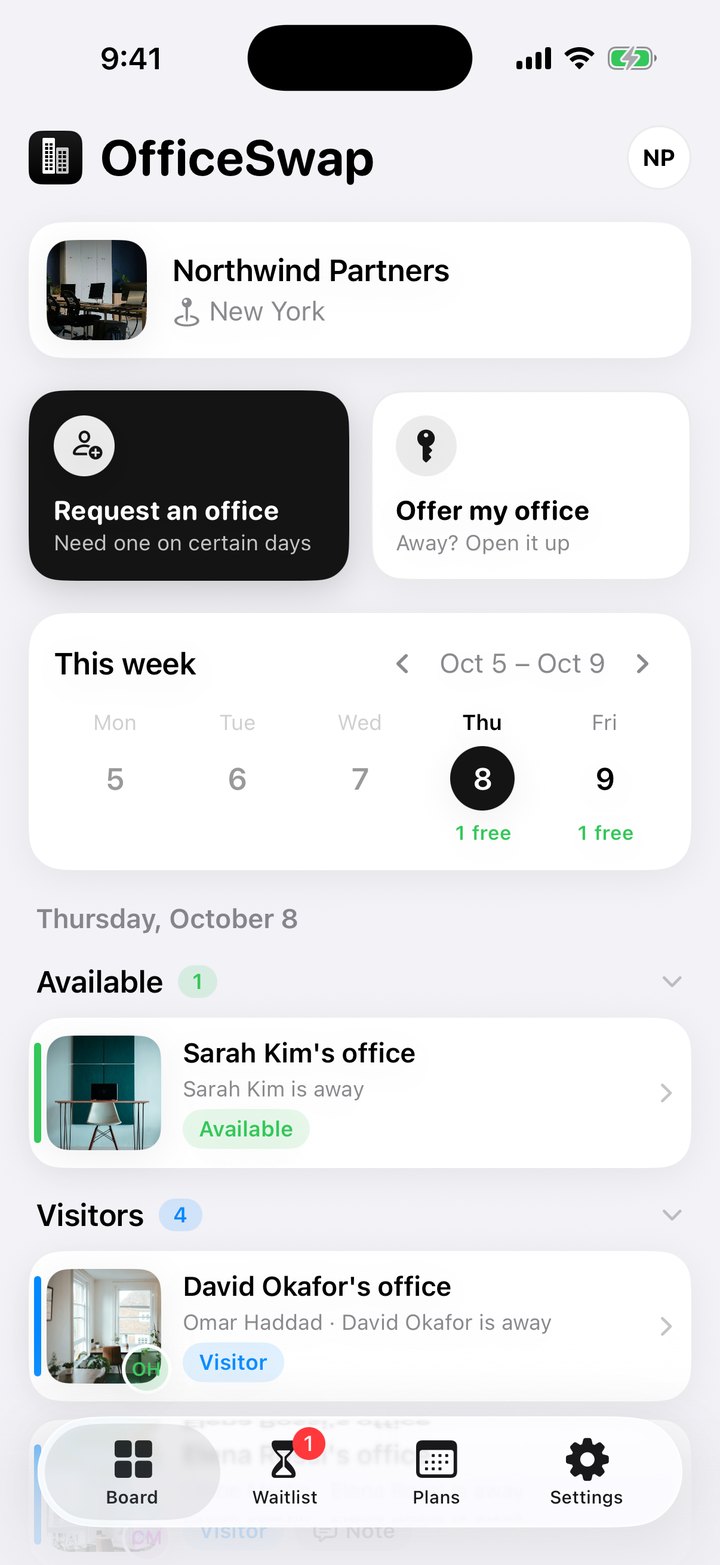
Nobody's week looks the same. OfficeSwap fits around who's in, who's out and who just needs a door that closes.
On site Tuesday to Thursday. Gets a door that closes, not a corner of the kitchen.

In two days a week, with a real office on both of them.

Out for a week. Their office keeps working while they are gone.

Starts Monday. Has somewhere to sit on day one.

In from another office? Request before the flight lands.

No more spreadsheet juggling. The waitlist runs itself.

Sees who is in, who is visiting and what is open at a glance.

Guest desks with no owner are always up for grabs.


Tap to try it
The earliest request always gets the next open office. No favorites, no politics.
Need several days? You stay in as few different offices as possible.
No sign-ups and no passwords. Your team joins with one access code.
Leave a line about the monitor cable or the thermostat when you offer your office.
Running more than one site? Filter the board by location.
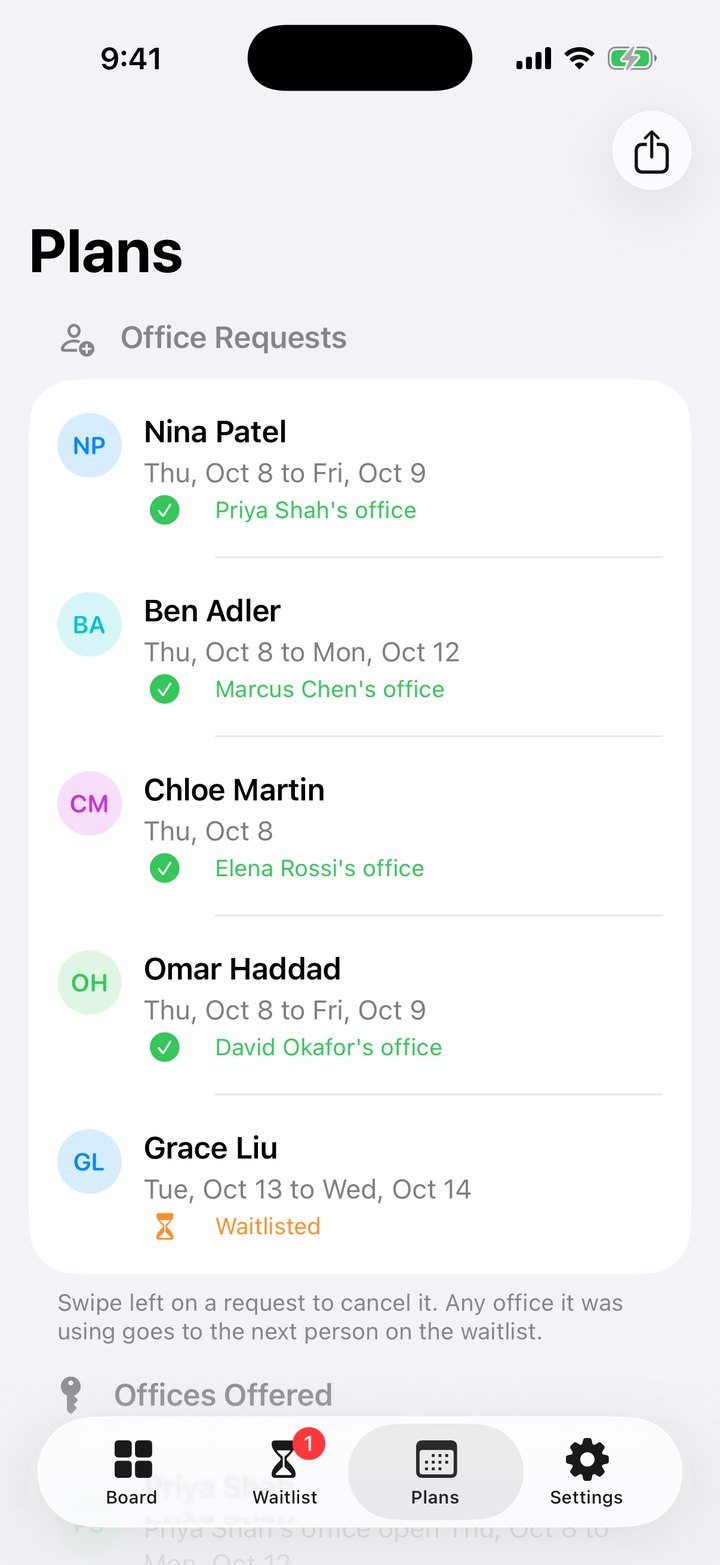
Share the whole schedule as a CSV file for Excel, Numbers or Google Sheets.
OfficeSwap only knows what your team types in. Read the Privacy Policy.
No analytics, no advertising and nothing sold. Ever.
No emails, phone numbers or passwords to hand over.
Names, offices, dates and optional notes. That's it.
Cancel entries anytime, or ask us to delete your organization's data.
Native SwiftUI. Nothing in a browser.
One access code. No passwords.
A simple calendar, weekdays only.
For Excel or Numbers.
Follows your iPhone.
Every phone updates the moment anything changes.
The earliest request wins.
Only people with your access code can see it.
Filled the moment an office opens.
Every office gets its own picture.
Your company's photo, found when you register.
Changes sync when you're back.
Point your camera at a printed staff list. Names, offices and photos fill in themselves.
The share button in Plans turns the schedule into a spreadsheet file and sends it anywhere your iPhone can share one.
 Google Sheets
 Excel
Excel Numbers
 Mail
Mail Messages
 AirDrop
 Files
Files Google Drive
 Slack
Slack Teams
TeamsApps appear in the share sheet when they're installed on your iPhone.
Move the sliders to match your team. It's all worked out here in your browser.
Estimate: offices times days away, with a month counted as 21 workdays. Each dot is one office on one workday. OfficeSwap can hand every green one to someone who needs it.
No. In Settings, scan a printed staff list or directory with your iPhone camera. OfficeSwap reads each name, office number and photo, and you check the list before anything is added.
On the Board, tap Request an Office, choose your name and pick the days you'll be in. If an office is free on those days, it's assigned to you right away.
You join the waitlist. As soon as someone offers an office on one of your days, it's assigned to you automatically. No need to check back.
No. It's only shared on the days you pick. You keep it on every other day.
First come, first served. The earliest request always gets the next open office.
No. Everyone joins with your organization's access code.
Only people with your organization's access code. They can see and change it in the app, so keep the code private.

OfficeSwap is free on the App Store. Download it, set up your offices, and share one access code with your team.
OfficeSwapRegister your organization and give everyone one access code. No commitment. Cancel anytime.
Register my organization